
MeetScript

Record every Google Meet call
from $3.99 a month

MeetScript records the call and the shared screen, then writes the transcript and the summary. No bot joins, and you don’t need to be the host.

Free plan, no credit card. Most AI notetakers start at $8 to $10 a month.

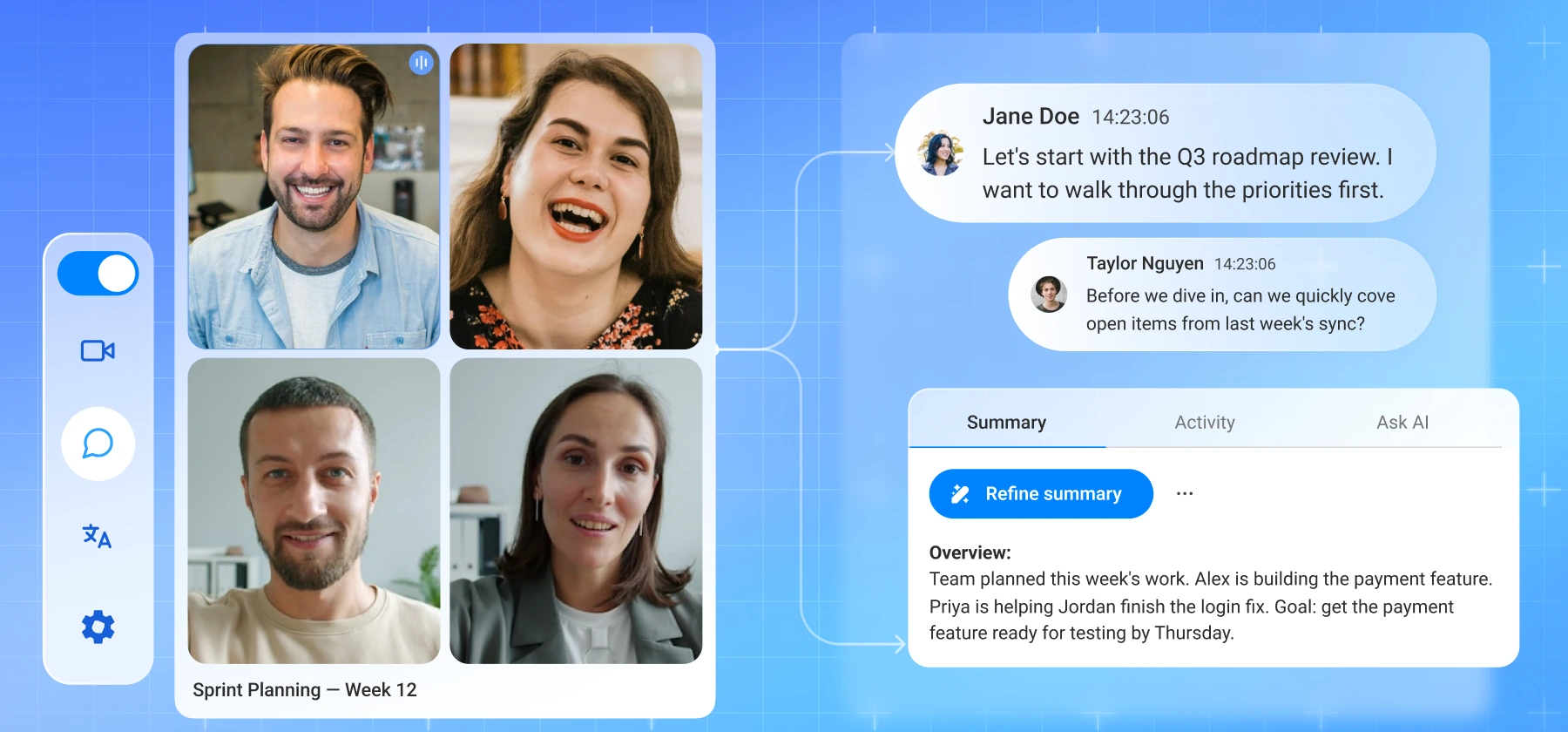
MeetScript running beside a Google Meet call, showing the live transcript and an AI-generated meeting summary

How MeetScript compares

Compare with

Features

MeetScript

fireflies.ai

Otter.ai

Tactiq

Screen and video 

recording

✓ All plans

Business+

✗

✗

Unlimited storage

✓ All plans

Business+

From Pro

All plans

Google Drive integration

✓ All plans

From Pro

From Pro

✓ All plans

Bot-free by default

✓ 

✗

✗

✓

Unlimited AI summaries

✓ 

✓ 

✓ 

Uses credits

AI credits on entry plan

30

20

50

10

Entry pricing

From $3.99/month

From $10/month

From $8.33/month

From $8/month

Not just a transcript. The actual recording

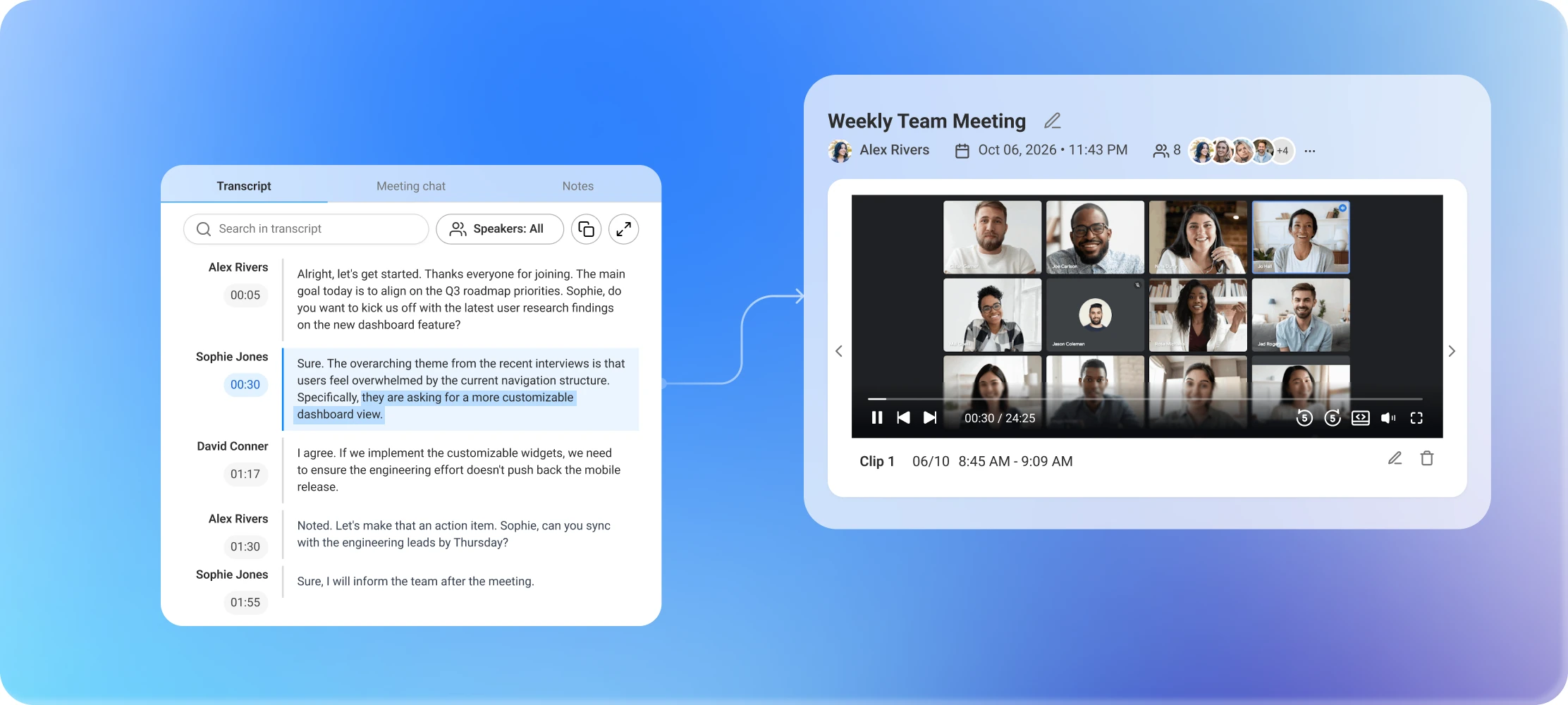
MeetScript records the screen, audio and video of your call. Click any line in the transcript and the video jumps straight to that moment. Switch to theater mode when you want the recording full-screen, with the transcript still beside it.

Transcript next to the meeting recording, with the clicked line jumping the video to that moment

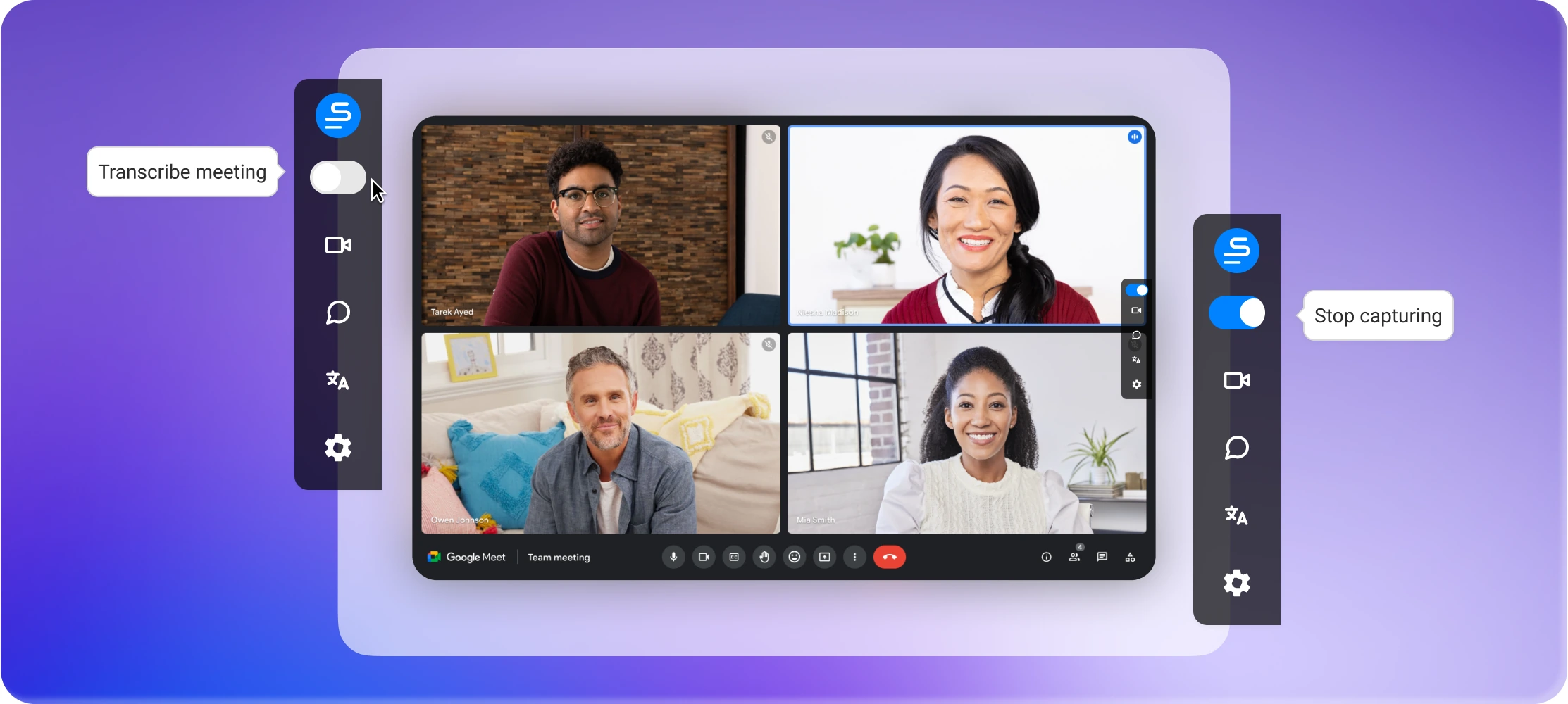
Capture without the bot in the room

No extra attendee joins your call. MeetScript records straight from your browser, so your participant list looks exactly the way it would without it.

A Google Meet call with the MeetScript sidebar open and no extra participant in the call

Follow along without taking your own notes

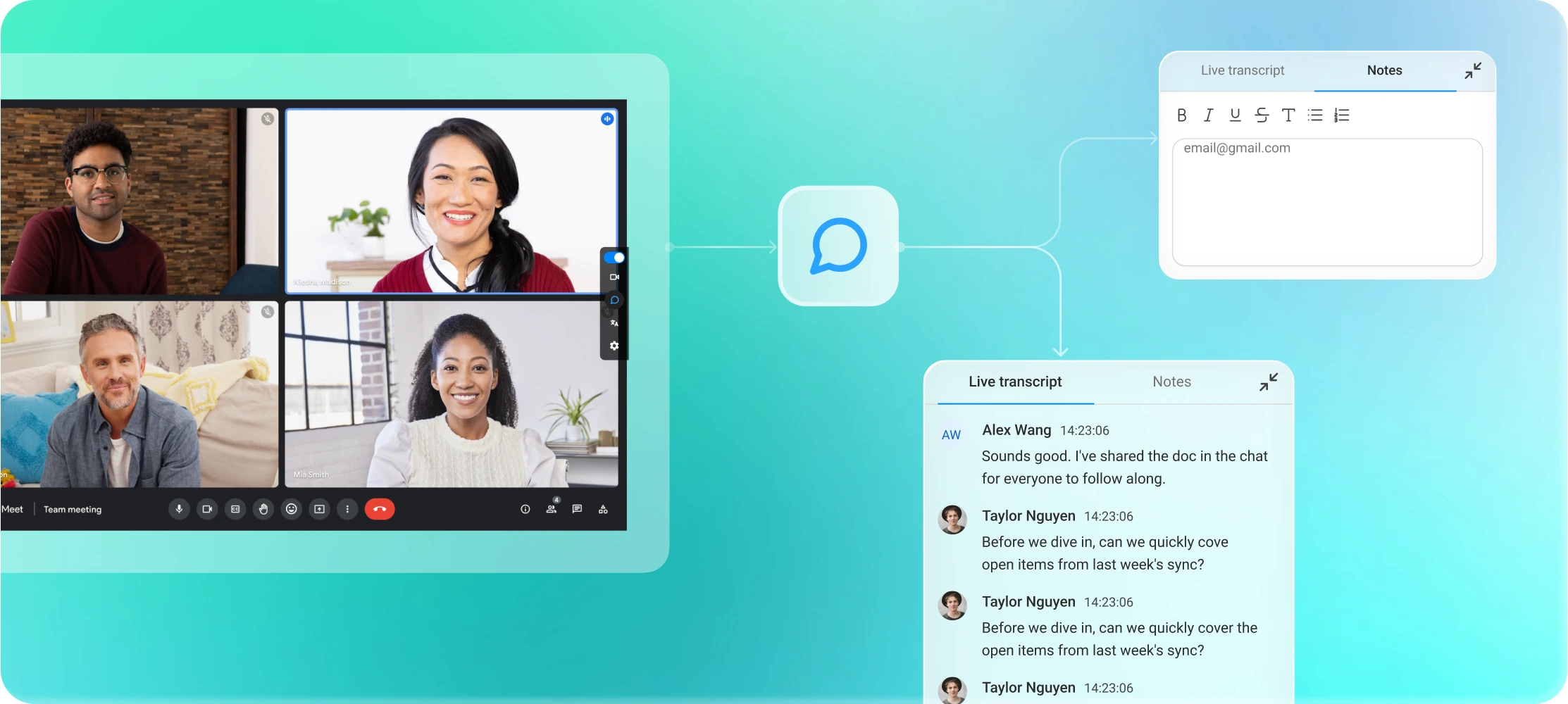
A live transcript scrolls next to your call in real time, with speaker labels attached. Add your own notes alongside it, or pause the transcript during an off-the-record moment and pick back up exactly where you left off.

Live transcript scrolling next to a Google Meet call, with each line labelled by speaker

Find anything,
without re-watching anything

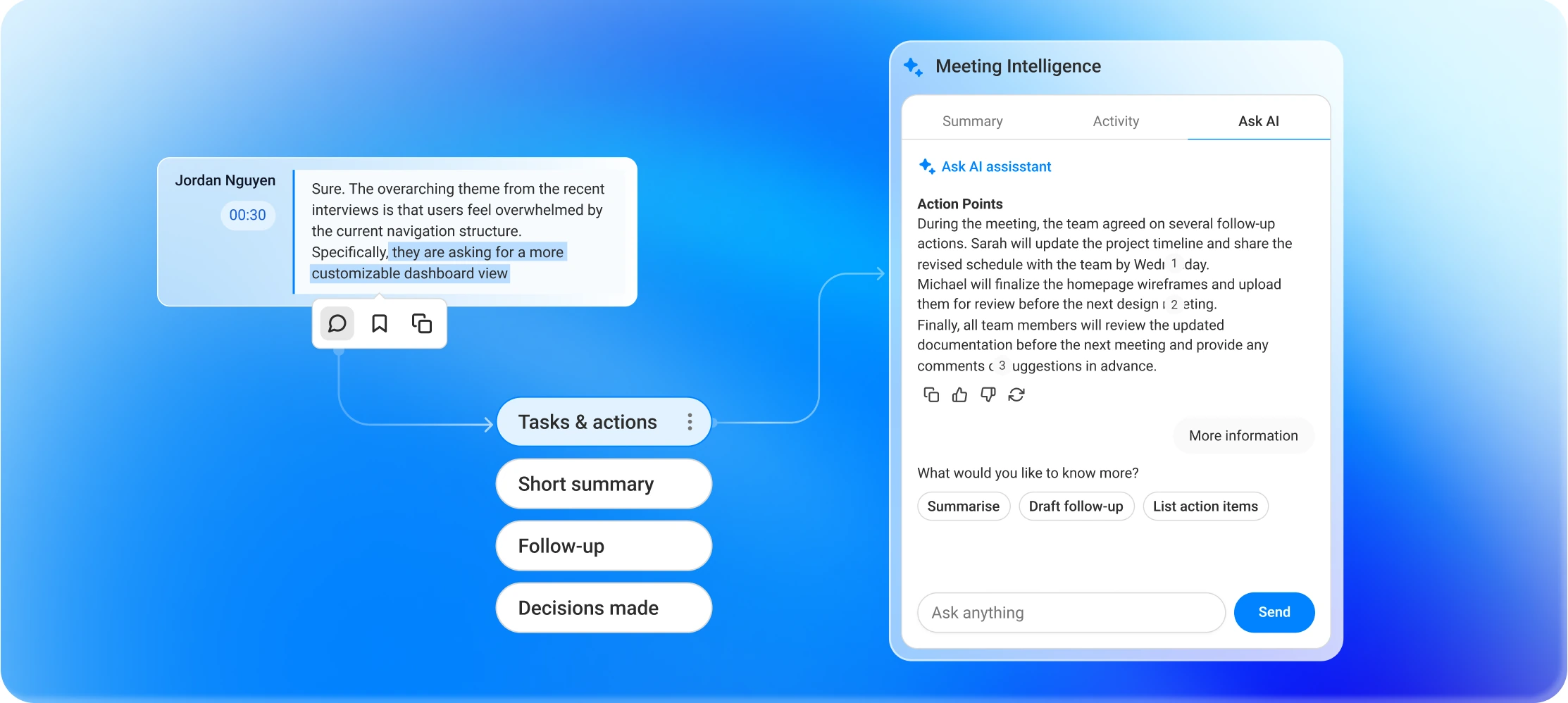
Search inside a transcript, bookmark key moments, or ask MeetScript’s AI a question about that meeting — it answers with citations that jump straight to the moment being referenced.

Searching a past meeting transcript and asking MeetScript's AI a question about it

Built for people who sit in
other people's meetings

Whatever the call is, you leave with the recording, the transcript and the summary.

For individual professionals

Every call you join is captured and searchable, without a separate note-taking app.

For sales

Walk out of a client call with the requirements, the objections and a follow-up already drafted.

For marketing

Pull the exact wording a customer used, straight from the transcript.

For engineers

Stand-ups, planning and reviews captured, so nobody has to write it up afterwards.

Share what you want, keep the rest private

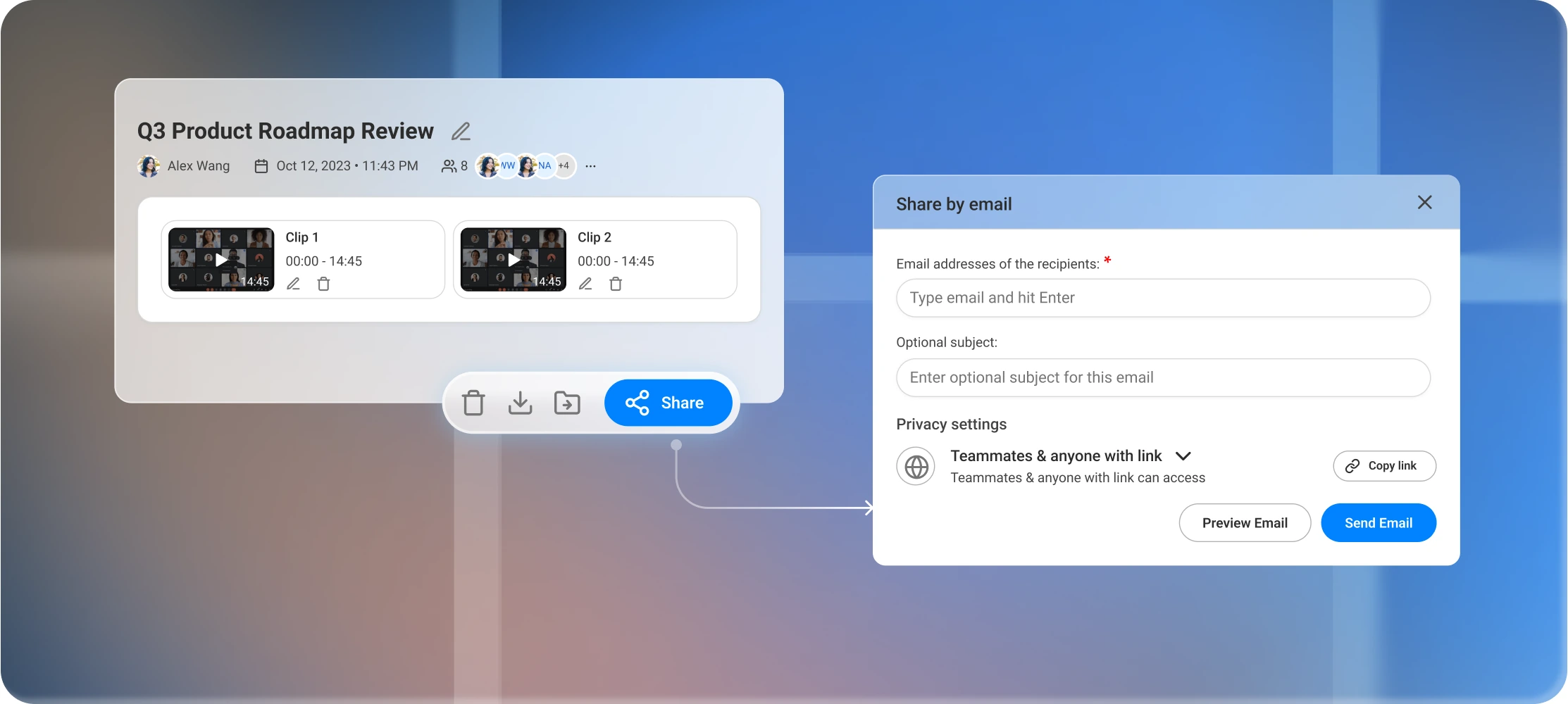
Organize meetings into folders, clip the part that matters and share it with a link, or set your default privacy once so you’re never reconfiguring access meeting by meeting.

Meetings organised into shared folders with per-meeting privacy settings

Run it as a team, without losing track

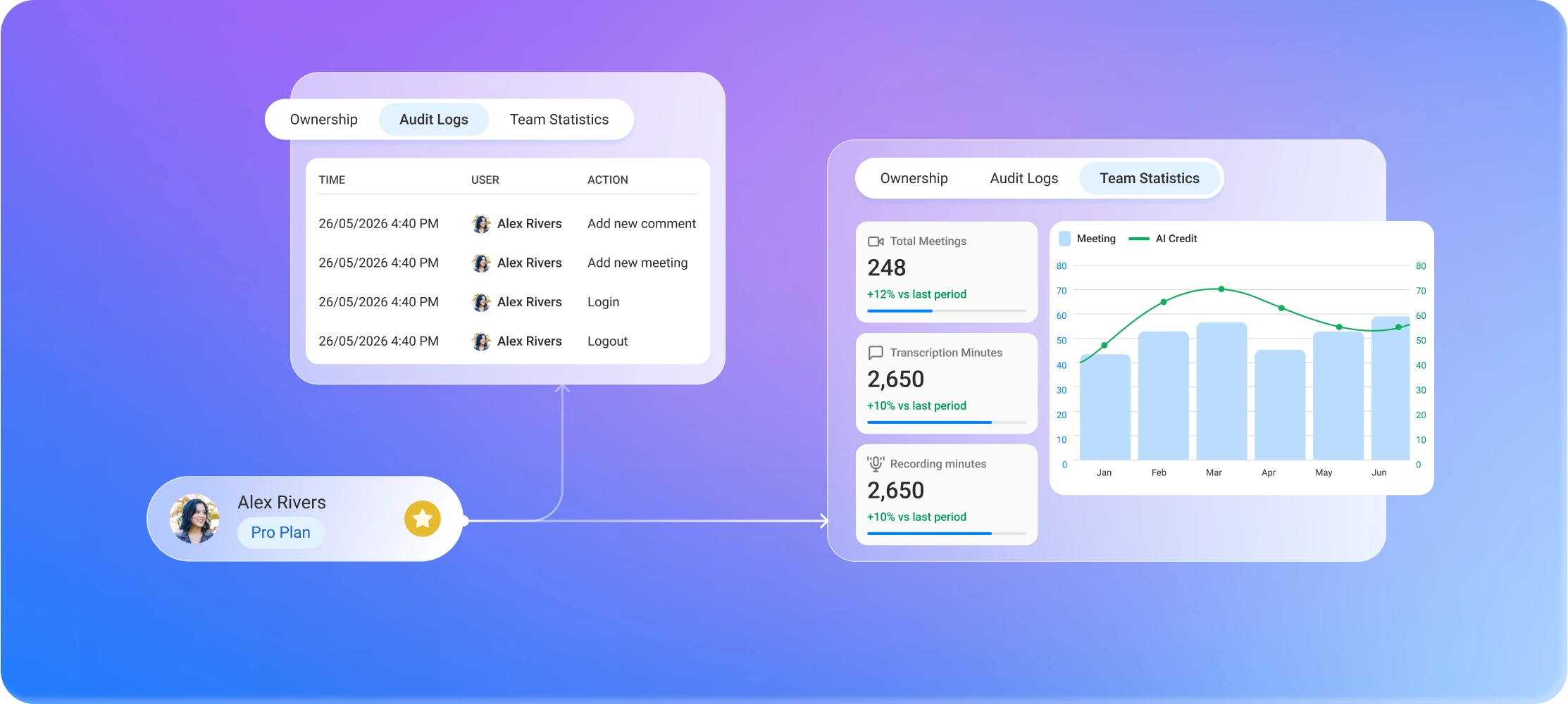
Invite your team, assign seats to who’s actually using them, and group access by department. When someone leaves, their meetings stay with the workspace instead of disappearing with their account. Admins can see usage across the team and review an audit log of who accessed what.

MeetScript Management Center showing audit logs, ownership and team statistics

Your meetings stay yours

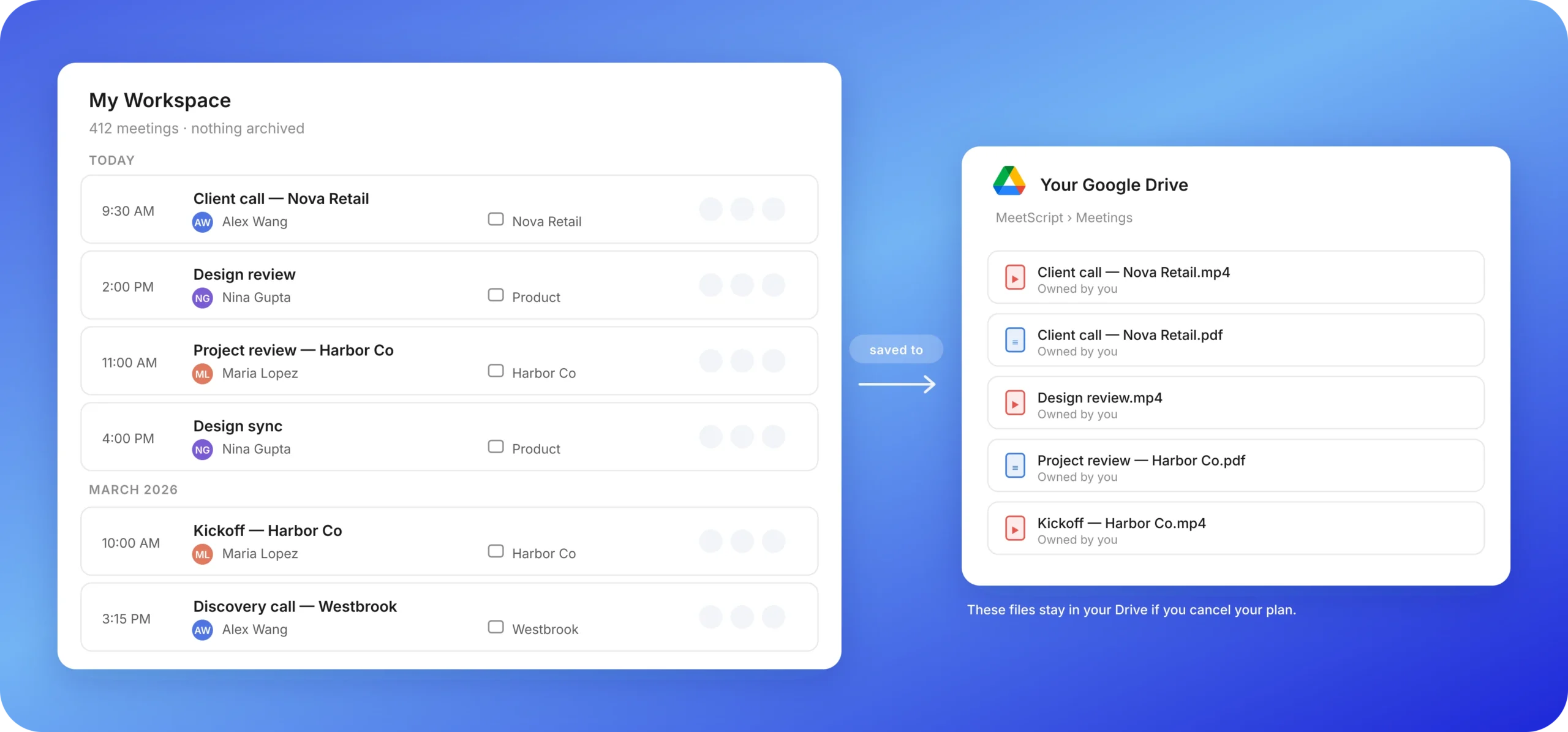
Every plan, including Free, keeps every meeting you record. Turn on Google Drive and each call is saved to your own Google account too. Cancel your plan and those files are still yours.

Frequently Asked Questions

Does MeetScript join my meetings as a bot?

No. MeetScript runs as a Chrome extension and captures everything from your browser. Nothing is added to the participant list, and nobody sees an extra attendee in the call.

Will other participants know I'm recording?

By default, yes. MeetScript posts a notice in the Google Meet chat when you start recording. You can turn this off in settings.

The notice can only be posted when you join the meeting with the same Google account you record with. If you use two different accounts, MeetScript can't post it.

Either way, you're responsible for telling participants that you're recording and for following the consent laws that apply where you and they are located.

Do I need to be the meeting host?

No. MeetScript works whether you organized the call or were invited to it. This is the main difference from Google's built-in note-taking, which only the host can turn on.

Does MeetScript work with Zoom or Microsoft Teams?

Not yet. MeetScript currently supports Google Meet only.

What happens when I run out of AI credits?

Transcription and recording keep working as normal. Only AI actions pause until your credits reset on the first day of your next billing month, or until you upgrade.

Is the Free plan really free?

Yes, no credit card required. You get unlimited transcription, 60 minutes of screen recording a month, and 5 AI credits.

Where is my data stored, and who can access it?

MeetScript stores your recordings and transcripts on its own infrastructure, not on shared or public storage. We're preparing a full security page with details on encryption, access controls and sub-processors.

Customer Testimonials

Why Choose MeetScript

“

We stopped worrying about who’s in the meeting notes because there isn’t one — MeetScript just runs in the background.

Nathan Nguyen

Walter Murphy

Freelance Consultant

“

We only pay for the people who actually use it. Our admin just reassigns a license from someone who’s not using it anymore — takes two minutes.

Nathan Nguyen

Jacy Miller 

Sales Manager

“

Someone on our team left last quarter, and we didn’t miss a single meeting. Our Team plan already had a transfer set up, so everything moved to their manager automatically — no scramble, no missing client call notes.

Nathan Nguyen

Arnold Wilson

UX Researcher

Start recording your next Google Meet call

Free plan, no credit card. Paid plans from $3.99/month.